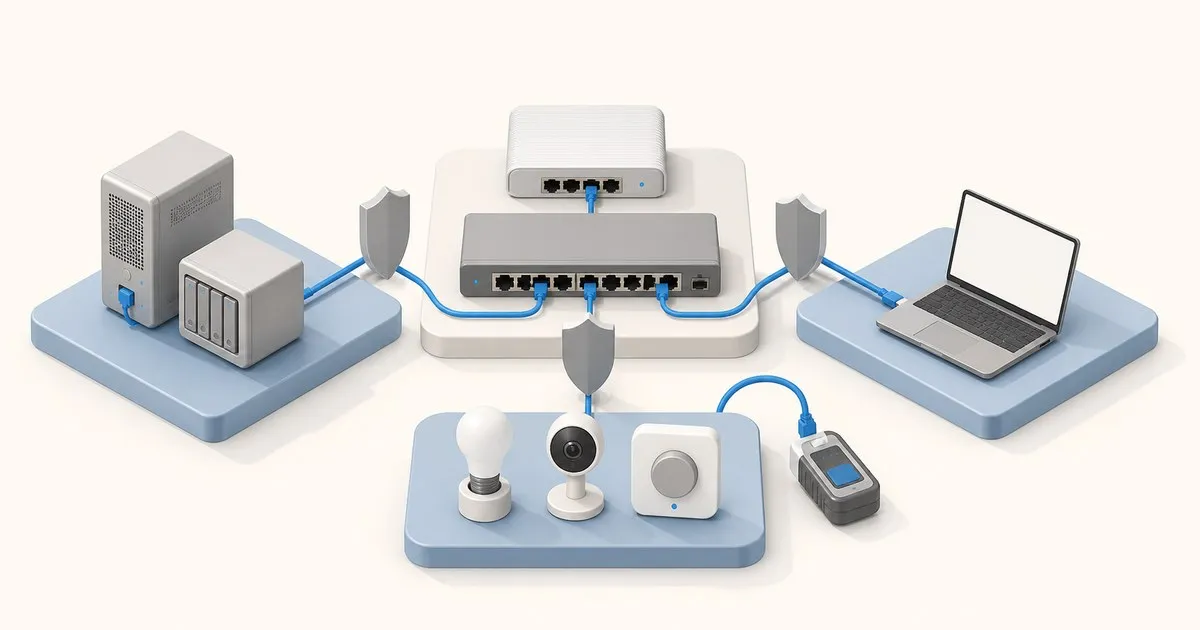
To set up a VLAN on pfSense, create it at Interfaces > Assignments > VLANs (parent NIC, tag 1 to 4094), assign and enable it with a static IPv4 address, turn on DHCP, then add pass rules on its tab: a new VLAN interface has no rules, so pfSense blocks all its traffic.
Most homelab VLAN guides stop at “create the VLAN, assign it, add a pass-any rule”. That leaves you with four subnets and zero isolation, because pfSense evaluates rules per interface, first match wins, and a pass-any rule at the top of the IoT tab hands traffic to your NAS before any block rule is read. Start with a working WAN and LAN from the pfSense initial setup guide.
pfSense VLAN setup, step by step
Menu paths follow Netgate’s current documentation, whose release index lists pfSense Plus 26.07 and CE 2.9.0 as the newest versions (checked September 2026). Repeat steps 1 to 5 for each VLAN in the plan further down.
- Create the VLAN. Interfaces > Assignments, VLANs tab, Add. Parent interface
igc1, VLAN tag 10, description TRUSTED. Netgate’s VLAN configuration page takes a tag “within the range1-4094”. Leave VLAN Tag Type on C-Tag (0x8100), which it calls “the default and most common value for typical 802.1Q VLAN interfaces”. - Assign it. On the Interface Assignments tab, pick the VLAN from “Available network ports” and click Add. pfSense gives it the next free OPT number.
- Enable and address it. Open the new OPT interface, check Enable, set the description, change IPv4 Configuration Type to Static IPv4 and enter
10.10.10.1/24. Netgate’s OPT-as-LAN guide says to leave the upstream gateway unselected; no gateway is what marks it a LAN-type interface. Leave “Block private networks” and “Block bogon networks” unchecked: the interface docs call the first “typically only desirable on WAN type interfaces” and say the second “can potentially block required local traffic”; on GUEST it blocks the guests themselves. Save, then Apply Changes. - Turn on DHCP. Services > DHCP Server, the interface’s tab, Enable, and a pool inside the /24, with static mappings for anything a rule will name. ISC DHCP is deprecated; the Kea switch is the Server Backend setting under System > Advanced > Networking.
- Add rules. Firewall > Rules, on the tab that now carries the VLAN’s description. Per the OPT-as-LAN guide, “By default, there are no firewall rules on the new interface, so the firewall will block all traffic.” Rule sets for all four VLANs are below.
- Check outbound NAT. Firewall > NAT, Outbound tab. The default Automatic mode “automatically performs NAT from internal interfaces”, as does Hybrid; in Manual mode a new VLAN needs its own NAT rule or it has no internet.
- Tag the switch. Netgate’s switch recipe runs in this order: define the VLANs on the switch, make the pfSense port a trunk “tagging all possible VLANs on the interface”, make client ports untagged access ports, and set the PVID where the switch requires one.
- Test from a client on an access port with the commands at the end of this post.
The four-VLAN homelab design
Four segments on one pfSense box and one 802.1Q switch: trusted clients, homelab servers, IoT, guests. Trusted reaches everything. Servers reach the internet and answer trusted. IoT and guest get internet plus DNS from pfSense and nothing else. The pfSense GUI and the switch are managed from trusted only.
Topology
Router-on-a-stick: igc0 on WAN, igc1 as the LAN trunk. Netgate’s VLAN documentation lists the Intel em(4), igb(4) and ix(4) families as having hardware VLAN tagging and warns that some Realtek rl(4) parts “will not accept 802.1Q tagged frames at all”. The tag adds 4 bytes, so a tagged frame reaches 1522 bytes and a NIC without long-frame support has to run a lower MTU. The hardware requirements guide covers which boxes ship Intel.
ISP modem ── igc0 (WAN)
pfSense igc1 ── trunk, tagged 10,20,30,40 ── switch port 1  (USW-Pro-24-PoE, CRS328-24P, any 802.1Q switch)
switch port 2 ── trunk, tagged 10,30,40 ─── AP  (SSID Home→10, IoT→30, Guest→40)
switch ports 3-8 ── access, PVID 20 ──────── Proxmox host, NAS
switch ports 9-24 ── access, PVID 10 ─────── desks
Stay off VLAN 1. Netgate’s VLANs and Security page notes switches send STP, VTP and CDP untagged over the native VLAN and says to treat VLAN 1 like a default-allow firewall policy: you have 2 through 4094 to pick from. Set the trunk PVID to an unused ID such as 999 so an untagged frame from a misconfigured port lands nowhere. If you want a break-glass path, assign the untagged parent igc1 as MGMT with exactly one switch access port.
Inter-VLAN traffic crosses the trunk twice, in on one tag and out on another, so every trusted-to-NAS flow shares that link with everything else. A 2.5GbE or 10GbE trunk is the fix; putting the workstation and NAS on the same VLAN is the cheap one.
If pfSense is a VM (see installing pfSense in a Proxmox VM), the Proxmox network docs describe the VLAN-aware bridge (bridge-vlan-aware yes, bridge-vids 2-4094); leave the VM NIC’s VLAN tag empty so the tags reach vtnet1 and create the VLANs inside pfSense. The Proxmox bridge and VLAN guide covers the host side.
Managed switch tagging and access ports
Match the switch membership table to the pfSense tags. In this example, an access port receives untagged client traffic into its PVID and sends that VLAN back to the client untagged. A trunk carries the specified VLANs tagged. Netgate’s switch configuration examples illustrate both roles.
| Port role | Tagged VLANs | Untagged VLAN / PVID | Attached device |
|---|---|---|---|
| pfSense trunk | 10, 20, 30, 40 | 999, unused and unrouted | pfSense parent NIC |
| Server access | None | 20 | NAS or a host using one VLAN |
| Trusted access | None | 10 | Trusted client |
| AP uplink in this example | 10, 30, 40 | 999, unused and unrouted | AP configured for tagged management on 10 |
An AP that requires untagged management needs a different uplink profile: management VLAN 10 untagged/PVID 10 and the other SSID VLANs tagged. Match the AP’s actual management setting; do not copy the fully tagged example while leaving AP management untagged. A guest SSID must map to VLAN 40 to reach the guest policy.
Keep the current management connection available until a client on the intended VLAN can reach the permitted management service. Netgate’s switch recipe likewise removes VLAN 1 from every port except the switch-management port and the trunk “to avoid being disconnected”. If DHCP fails, check port membership and the PVID before changing firewall rules.
VLAN plan
| VLAN | Name | CIDR | Gateway | DHCP range | Inter-VLAN policy |
|---|---|---|---|---|---|
| 10 | TRUSTED | 10.10.10.0/24 | 10.10.10.1 | .100 to .199 | any |
| 20 | SERVERS | 10.10.20.0/24 | 10.10.20.1 | static mappings; .200 to .220 for new boxes | internet only, answers TRUSTED |
| 30 | IOT | 10.10.30.0/24 | 10.10.30.1 | .100 to .250 | internet, pfSense DNS and NTP only |
| 40 | GUEST | 10.10.40.0/24 | 10.10.40.1 | .100 to .250 | internet and pfSense DNS only |
Third octet equals VLAN ID; that one convention removes most “which subnet is this” mistakes. All three RFC 1918 blocks still go in one alias, because a 192.168.x device will turn up eventually.
IPv6 needs the same per-VLAN plan. Netgate’s IPv6 Configuration Types describes both options: Track Interface assigns each VLAN a /64 from a delegated WAN prefix using a distinct Prefix ID, while Static IPv6 assigns an address from a unique routed prefix. Equivalent IPv6 firewall rules are required because the IPv4 RFC1918 alias does not match IPv6 traffic.
How pfSense routes between VLANs
pfSense routes between its VLANs on its own, with no static routes and no routing protocol. Each VLAN subnet sits on a directly connected interface, and Netgate’s static routes page puts it plainly: “The firewall knows about the networks directly attached to it.” Routing never keeps IoT away from the NAS; the rules on the IOT tab do.
Confirm it at Diagnostics > Routes, or with netstat -rWn from the shell. Each VLAN subnet should show link#N in the Gateway column, which the route table docs define as “directly reachable by that interface and no special routing is necessary”. A VLAN missing from that table is not enabled or has no address.
The alternative, a Layer 3 switch doing the routing, moves filtering off the firewall:
| Routing on pfSense (router-on-a-stick) | Routing on a Layer 3 switch | |
|---|---|---|
| Static routes on pfSense | None; every VLAN is directly connected | One per switch-routed subnet, after adding the switch as a gateway |
| Who filters inter-VLAN traffic | pfSense rules on each VLAN tab | The switch; pfSense never sees it |
| Inter-VLAN bandwidth limit | The pfSense trunk, crossed twice per flow | The switch fabric |
| Typical failure | An empty or misordered rules tab | Asymmetric routing when the switch shares a client subnet |
Static routes go under System > Routing on the Routes tab once the switch exists as a gateway, and “if filtering of traffic between statically routed subnets is required, it must be done on the router and not the firewall”. When the switch sits in a client subnet, replies take a different path and connections “appear to work for a short time and then stop”. The workaround, “Bypass firewall rules for traffic on the same interface” under System > Advanced > Firewall/NAT, skips the rules for exactly that traffic. For a homelab whose point is IoT isolation, keep routing on pfSense and spend the money on trunk bandwidth.
pfSense VLAN firewall rules
Every VLAN gets its own tab under Firewall > Rules, and that tab starts empty. The rules screen docs list “Default allow LAN to any” rules for IPv4 and IPv6 on LAN only, so a VLAN that leases addresses but reaches nothing usually has an empty tab, not a routing fault. Netgate’s own isolated-network example uses the same shape as the IOT list below.
Aliases first: RFC1918 (10.0.0.0/8, 172.16.0.0/12, 192.168.0.0/16) and MGMT_PORTS (22, 443).
Netgate’s rule methodology is the whole game: rules apply “always in the inbound direction on that interface”, processed until a match, stateful, and “outbound rules are never required”. Unmatched traffic is silently dropped. A NAS replying to a trusted client therefore needs no rule on SERVERS; the state created on TRUSTED carries the reply.
IOT tab, in apply order:
- Pass, TCP/UDP, source IOT net, destination IOT address, port 53.
- Pass, UDP, source IOT net, destination IOT address, port 123.
- Pass, ICMP echo request, source IOT net, destination IOT address.
- Reject, any, source IOT net, destination “This Firewall (self)”.
- Block, any, source IOT net, destination
RFC1918. - Pass, any, source IOT net, destination any.
Rule 4 matches every address on every pfSense interface, so IoT cannot reach the GUI via 10.10.10.1 or the WAN IP; Netgate’s management-restriction recipe says “reject is preferred on internal networks”. Rules 1 to 3 use “IOT address” rather than “This Firewall” so the only pfSense IP IoT can talk to is its own gateway.
Shadowing, in the order people hit it: rule 6 above rule 5 is a flat network with extra configuration. Rule 4 above rule 1 kills DNS. A floating rule with Quick set, or a rule on an Interface Group tab, runs before any of these; Netgate’s troubleshooting page is explicit that once one matches, “a block rule on an interface would have no chance to match”. A RESTRICTED group holding rules 4 and 5 for IOT and GUEST is tidy, but every per-VLAN exception then has to live in the group tab too.
The other three tabs reuse the IOT numbering:
| Tab | Rules from the IOT list | Extra rules |
|---|---|---|
| GUEST | 1, 3, 4, 5, 6 (no NTP) | None |
| SERVERS | 1, 2, 4, 5, 6 | Narrow passes above rule 5 where a server must initiate into IoT (a Home Assistant VM reaching a hub) |
| TRUSTED | None | Pass any, plus an explicit pass to “This Firewall” on MGMT_PORTS from an admin-hosts alias before you disable the anti-lockout rule |
Same troubleshooting page: an existing state is not cut off by a new block rule. After adding rule 5, reset states under Diagnostics > States, or the TV keeps talking to the NAS until its session times out.
DNS and discovery
Allow client DNS to the VLAN gateway on TCP/UDP 53 before the rules blocking firewall or private-network access. Add UDP 123 only where pfSense supplies NTP. Those exceptions do not require allowing GUI or SSH ports.
The resolver must listen on the relevant interfaces and permit their subnets in its ACLs. If automatic ACL creation is disabled, maintain explicit entries for the permitted IPv4 and IPv6 networks. An ACL authorizes resolver clients; it does not create a separate pfBlockerNG DNSBL policy for each VLAN.
Unbound’s access lists permit “networks residing on internal interfaces” by default, so every VLAN resolves against its gateway with no extra work. Devices hard-coded to 8.8.8.8 bypass that; Netgate’s DNS redirect recipe is a port forward on the interface with destination inverted, port 53, target 127.0.0.1, so “DNS requests from local clients to any external IP address will result in the query being answered by the firewall itself”. It cannot catch DNS over TLS or HTTPS. Do not redirect encrypted DNS to a plain DNS listener; manage encrypted-DNS policy separately on clients and the firewall.
mDNS is why IoT segmentation gets a bad name. RFC 6762 sends .local queries to 224.0.0.251 on UDP 5353 and defines the names as link-local, “meaningful only on the link where they originate”. A router does not forward them. The pfSense Avahi package fixes this by reflection: per the avahi-daemon.conf man page, enable-reflector makes the daemon “reflect incoming mDNS requests to all local network interfaces”. Allow TRUSTED and IOT, deny GUEST, and run exactly one reflector; two between the same networks loop.
Reflection only carries the advertisement. The unicast session that follows (Chromecast on TCP 8008/8009, AirPrint on 631) is opened from TRUSTED, which passes any, and the reply rides the state. You need a pass above the RFC1918 block only when the IoT device initiates. Enable IGMP snooping on the switch so multicast stops flooding every port, and leave pfSense’s IGMP proxy alone unless you need real multicast streams across VLANs. If the APs are UniFi, the SSID-to-VLAN mapping is the controller’s job; the UniFi VLAN setup guide covers that half.
Things to test before you call it done
From a laptop on the IoT SSID (10.10.30.x):
ping -c 3 10.10.30.1                   # gateway answers (rule 3)
ping -c 3 10.10.10.1                   # must fail (rule 4)
nc -vz -w 3 10.10.20.10 445            # NAS SMB, must fail (rule 5)
dig +short example.com @10.10.30.1     # answers (rule 1)
dig +short pfsense.home.arpa @8.8.8.8  # answers only if the DNS redirect works
curl -sI https://example.com | head -1 # 200 (rule 6)
From TRUSTED:
mtr -n -c 20 10.10.20.10               # one hop via 10.10.10.1, no loss
iperf3 -c 10.10.20.10 -P 4 -t 20       # inter-VLAN throughput across the trunk
avahi-browse -art | grep -i chromecast # reflected services from IOT
Then Diagnostics > States: filter on 10.10.30 and confirm nothing points at 10.10.10.0/24 or 10.10.20.0/24. Finally Status > System Logs > Firewall, where pfSense logs dropped traffic by default; a rule 5 hit from a bulb you never expected to see there is the first sign it is scanning your network.
FAQ
Do I need a managed switch for VLANs on pfSense?
Yes, for physical devices. Netgate’s VLAN overview rules out unmanaged switches and notes that “every decent managed switch manufactured in the last 25 years” can trunk 802.1Q. The exception is an all-virtual lab, where a VLAN-aware Proxmox bridge carries the tags between VMs and a pfSense VM.
Why does my pfSense VLAN have no internet?
Usually the VLAN’s rules tab is empty. A new VLAN interface has no rules, so the default deny drops everything until you add a pass rule. If rules exist, check that outbound NAT is Automatic or Hybrid and that no gateway is set on the VLAN interface. No DHCP lease at all points to switch tagging.
What VLAN ID should I use for IoT on pfSense?
Any unused ID from 2 to 4094; no number is reserved for IoT. Avoid VLAN 1, which Netgate’s security guidance says to treat like a default-allow policy because switches send control traffic untagged on it. Matching the third octet to the ID, 10.10.30.0/24 for VLAN 30, makes logs and rules easier to read.
Related across the network
- OPNsense Firewall Rules Explained for Beginners — opnsenselab.com
- OPNsense VLAN Setup: Trusted, IoT, Guest, and Management — opnsenselab.com


