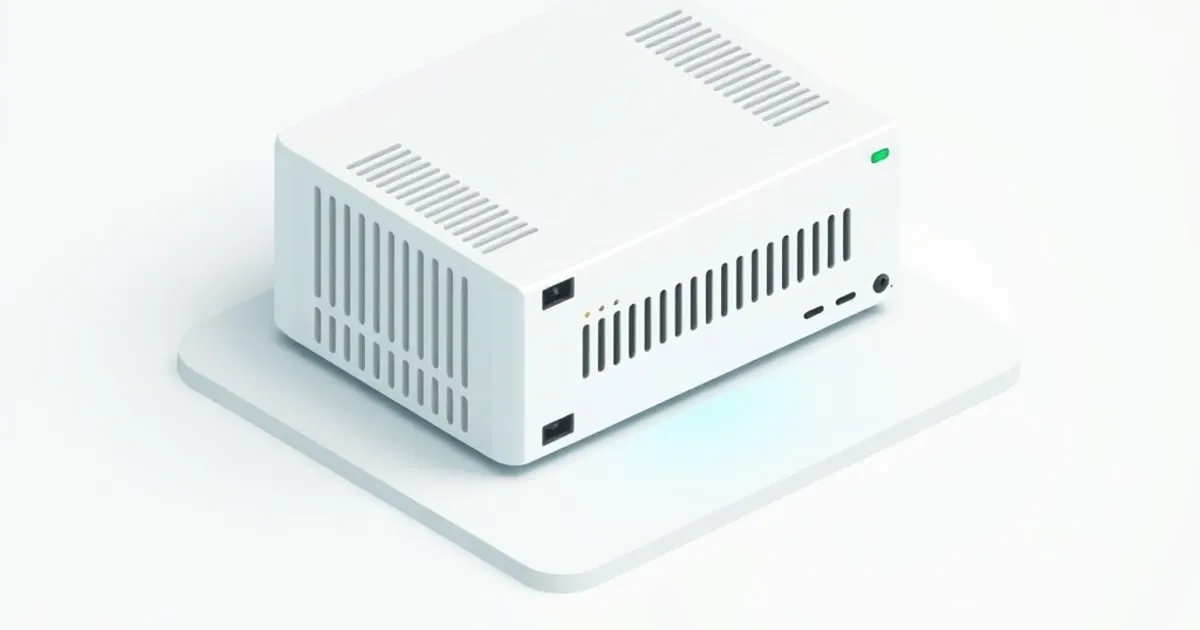
pfSense ready hardware is a seller’s label, not a Netgate certification. In practice it means an amd64 CPU and network controllers with drivers in pfSense’s FreeBSD base, shipped without pfSense installed. Netgate documents per-release testing only for hardware in its own store; everything else, you verify yourself before it goes in the rack.
That verification comes down to five checks, and the listing usually hides the one that matters most: the Ethernet controller part number. “2.5G LAN” is not a spec. “4x Intel I226-V” is. Size CPU and RAM first with the pfSense hardware requirements breakdown, then qualify the box.
What does “pfSense ready” actually mean?
It means only that the seller expects pfSense to install and run. The phrase exists largely because vendors cannot ship pfSense preinstalled: Netgate’s guidance on selling pfSense software says selling a device preloaded with it requires prior express written permission from ESF, the trademark holder, and the name and logo may not appear physically on the hardware.
Protectli shows what an honest version of the claim looks like. Its operating system compatibility guide says it will not preinstall pfSense for any customer under Netgate’s terms, and that pfSense can be installed on any Vault or Vault Pro. Even for the systems it does preinstall, such as OPNsense, Ubuntu and OpenWrt, Protectli says it is not responsible for software configuration or troubleshooting support. Hardware is the vendor’s problem; software is yours.
Netgate’s view of the opposite case is blunter. Its installation documentation says hardware preloaded with pfSense by a commercial vendor other than the Netgate Store or an authorized partner must not be trusted, because third parties may have made unknown alterations to the software. The instruction is to wipe the system and reinstall a genuine copy using the Netgate Installer. A box advertised as “pfSense pre-installed” is, by Netgate’s own definition, a box you reflash on day one.
The five checks that make a box actually ready
| Check | Passes | Fails |
|---|---|---|
| CPU architecture | amd64 (x86-64), Intel or AMD | Raspberry Pi, other non-Netgate ARM, MIPS, PowerPC |
| NIC driver | Named Intel controller with a driver in the shipping FreeBSD base | ”Gigabit LAN” with no part number, or no driver at all |
| Physical ports | Two or more onboard or PCIe ports | One port plus a USB adapter |
| Storage | SSD or NVMe, 8 GB minimum, more for logging | SD card or USB stick as the boot disk |
| Install path | A WAN port the installer can bring up, plus console access | No console, no route to Netgate’s servers |
1. CPU: amd64, with AES-NI as a preference rather than a gate
Netgate’s hardware compatibility notes say current pfSense runs on 64-bit amd64 hardware and on Netgate’s own ARM firewalls. Raspberry Pi, other non-Netgate ARM devices, PowerPC, MIPS and SPARC are not compatible. A cheap ARM board sold as “pfSense ready” is simply wrong.
AES-NI attracts the most cargo-culting. Netgate announced in May 2017 that pfSense 2.5 would require it, then dropped the requirement on March 18, 2019. The current minimum requirements list a 64-bit amd64 CPU, 1 GB of RAM, an 8 GB disk and one compatible NIC, with no AES-NI line. It still matters if you terminate IPsec or OpenVPN: the cryptographic accelerators page notes that OpenVPN in DCO mode cannot use AES-NI unless the module is loaded, and that QAT, IPsec-MB, CESA and SafeXcel acceleration are Plus-only.
2. NIC driver: match it to the FreeBSD base you will install
Netgate’s release history shows pfSense CE 2.9.0 (released 2026-08-20) and pfSense Plus 26.07 (2026-08-13) both building on FreeBSD 16.0-CURRENT. Netgate points to the FreeBSD Hardware Notes for the matching version, but -CURRENT is a development branch with no release notes of its own, so the driver’s man page is the practical check.
For the 2.5 GbE controllers that dominate this market, that page is igc(4). It covers the I225-LM, -V, -IT and -K, the I226-LM, -V, -IT and -K, plus the I220-V and I221-V, and the driver first appeared in FreeBSD 13.1.
“Ready” is also version-dependent. ServeTheHome’s review of a J4125 box with four i225-V ports found that under pfSense 2.5.2 the ports showed up as Intel PRO/1000 and passed traffic, yet DNS threw errors; on 2.6.0 all four worked out of the box. The review also told buyers to make sure they got the B3 stepping of the i225-V. Same hardware, same label, different answer depending on the release.
Netgate’s rule of thumb is Intel NICs, because their FreeBSD drivers are solid, and it warns that a FreeBSD driver for a chipset does not guarantee a given board’s implementation of that chipset is any good. If you plan to trunk VLANs, the same page recommends adapters that handle VLAN processing in hardware; the pfSense VLAN setup guide covers the design side.
Inline Suricata adds one more filter. Inline mode runs on netmap, and FreeBSD’s netmap(4) page lists native support for cxgbe, em, iflib (providing igb and em), ix, ixl, re and vtnet. Other NICs fall back to an emulated mode with lower throughput. Read Suricata vs Snort on pfSense before you size a box for IPS.
3. Ports: two physical, never USB
The documented minimum is one NIC, which technically works with a VLAN trunk and practically pushes every network through one wire. Netgate’s compatibility page says USB network adapters of any make or model should not be used, citing unreliability and poor performance. Count WAN, LAN, a second WAN if you plan multi-WAN failover, and any isolated segment, then buy that many real ports.
4. Storage: a real SSD
The 8 GB minimum covers a plain router. Suricata alerts, pfBlockerNG feeds and RRD graphs write continuously, so boot from an SSD or NVMe drive sized for logs, never an SD card or USB stick.
5. Install path: the installer is your first compatibility test
The current Netgate Installer is online-only. Its installation prerequisites require a network connection that can reach the Internet, configured by DHCP, static IP or PPPoE on the WAN port. The useful side effect: if the installer cannot bring up your WAN NIC, the box was never ready. Confirm a console path too, either video out or a serial port, because a headless firewall with a broken config has no other way in.
How do you verify a box before trusting it?
Boot it, open the shell (option 8 on the console menu), confirm every Ethernet controller attached to a driver, then push real traffic through it. About 10 minutes catches the wrong controller, a missing driver and absent AES-NI before the box carries your WAN. Do it on a bench network, not in place of your current router.
# Each NIC should show a driver name (igc0, igb0, ix0). "none" means no driver attached.
pciconf -lv | grep -B4 'subclass.*ethernet'

# Interfaces the kernel actually created
ifconfig -l

# AES-NI in the CPU feature flags, and the module loaded
grep -o AESNI /var/run/dmesg.boot | head -1
kldstat | grep aesni
Then measure through the firewall, not to it, because iperf3 running on pfSense itself only measures pfSense’s own stack. Swap your own bench subnet in for 198.51.100.0/24, a documentation range.
# Server on the WAN side of the bench network
iperf3 -s

# LAN client: forward and reverse, 4 streams, 30 seconds each
iperf3 -c 198.51.100.10 -P 4 -t 30
iperf3 -c 198.51.100.10 -P 4 -t 30 -R
Run the pair again with Suricata or your VPN enabled. The gap between the two runs tells you whether the box fits your line, and no listing will print that number for you.
Netgate appliance or third-party “ready” box?
Pick a Netgate appliance if you want hardware tested against each release and a support contract; pick a third-party amd64 box if you want free CE and control over every component. The table uses Protectli’s FW4C as the third-party example because its specification names every part.
| Netgate appliance | Protectli FW4C (third-party example) | |
|---|---|---|
| OS at delivery | pfSense Plus preloaded | None; you install CE |
| Per-release testing | Documented by Netgate for store hardware | Vendor’s own QA |
| Software cost | Plus included | CE free; Plus on third-party hardware from $129/yr |
| Software support | Netgate support tiers | Hardware only |
| Architecture | amd64 or ARM, by model | amd64 (Pentium J3710, AES-NI) |
| Network | Varies by model | 4x Intel I226-V 2.5 GbE |
| Firmware and warranty | Per Netgate model | AMI or coreboot; 2-year warranty |
The $129/yr figure is from Netgate’s pfSense Plus software page. On the Netgate side, the hardware selection page lists ARM appliances such as the 2100 and 3100 as Plus-edition hardware, so check the model before planning a CE install. The wider trade-offs sit in Netgate, Protectli, or DIY and pfSense Plus vs CE differences.
What you actually need
- 1 Gbps routing, DHCP, DNS and pfBlockerNG: any amd64 box with two Intel ports and an SSD; the Intel N100 build review shows where that class tops out.
- Inline Suricata: an Intel controller on the netmap native list.
- A support contract: a Netgate appliance, tested against the release you run.
Whichever box you pick, start from a clean Netgate image and follow the pfSense initial setup guide before adding packages.
FAQ
Can I run pfSense Plus on non-Netgate hardware?
Yes. Netgate sells pfSense Plus for white-box and third-party hardware, on bare metal or in a virtual machine, with pricing that starts at $129 a year. The documented route is to install pfSense CE on the box first and then migrate that installation to Plus, so the hardware still has to pass CE’s compatibility checks.
Do I need AES-NI for pfSense?
No, not to install or route. Netgate dropped its planned AES-NI requirement for pfSense 2.5 in March 2019, and the current minimum hardware list does not include it. You want it for IPsec and OpenVPN throughput, and OpenVPN DCO only uses it when the aesni module is loaded. Most modern x86 CPUs include it anyway.
Can you install pfSense without internet?
Not with the current installer. Netgate describes the Netgate Installer as an online installer that downloads installation data from Netgate servers, so the WAN port needs a working DHCP, static or PPPoE connection during setup. Plan the install where the new box can reach the Internet, ideally behind your existing router on a bench network.
Will a Realtek NIC work with pfSense?
It can, but it is the riskier choice. Netgate’s best practice is Intel NICs because their FreeBSD drivers are solid, and it warns that other cards may suffer instability or poor performance even when a driver exists. Confirm the exact Realtek chip has a driver in pfSense’s current FreeBSD base before buying, then load-test it.
Related across the network
- Best Mini PC for pfSense Firewall: Hardware That Works — minilabhq.com
- OPNsense Requirements: Minimum and Recommended Hardware — opnsenserouter.com


