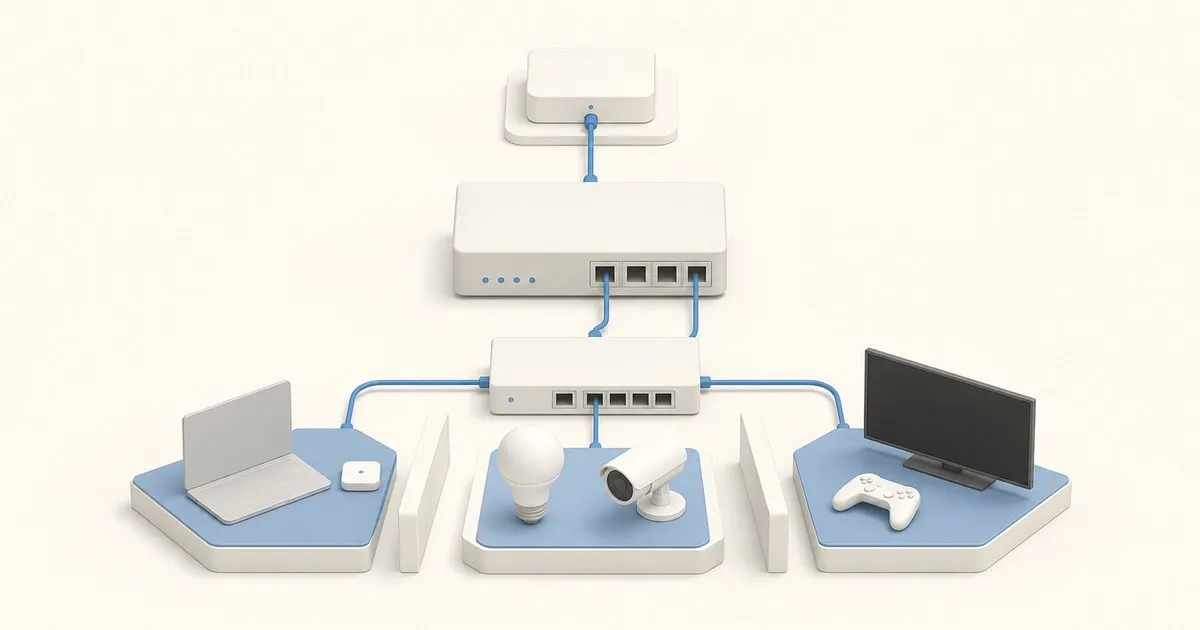
pfSense is firewall and router software built on FreeBSD. It connects networks, applies rules to traffic moving between them, and provides services such as DHCP, DNS and VPN access. In a homelab it commonly becomes the gateway between the internet connection and the devices behind it. Netgate’s introduction describes a system managed through a web interface, with optional packages extending its functions.
If you are asking what is pfSense and how to use it, start by deciding which network job it should own. A household gateway, an isolated learning router and a remote-access endpoint are different uses. You do not need every available package to make any of them useful.
Is pfSense software or a router?
pfSense is the software. A compatible computer running it becomes a router and firewall appliance. Netgate sells appliances with pfSense Plus installed; a compatible third-party system can run pfSense CE. The physical device still needs supported network interfaces and storage.
The web interface is the control panel for that system. You use it to inspect interfaces, manage services, edit rules and review logs. You do not need to learn FreeBSD administration before using those controls, although understanding addresses, subnets and gateways makes configuration easier.
For the installation floor, use the pfSense hardware requirements reference. For selecting a device after defining your workload, use the pfSense hardware buying guide.
What does pfSense do in a homelab?
The useful distinction is between moving traffic, deciding whether it may pass and providing services to clients.
| Role | What it does | Example use |
|---|---|---|
| Router | Forwards traffic between IP networks | Connect a server subnet to a client subnet |
| Stateful firewall | Applies policy to new connections and tracks their state | Permit a client service while restricting other access |
| IPv4 NAT gateway | Translates addresses according to NAT rules | Let private-address clients use a WAN connection |
| DHCP server | Supplies client network configuration | Give clients addresses without configuring each manually |
| DNS resolver | Answers client DNS requests | Resolve hostnames through a chosen local service |
| VPN endpoint | Terminates an encrypted tunnel | Reach permitted home services remotely |
Netgate documents these services in its configuration overview. NAT and firewall permission are separate concepts: address translation is not an access policy. A working internet connection alone does not demonstrate that internal networks are isolated.
Where does pfSense sit in the network?
A common arrangement is an ISP modem or ONT, then pfSense, then a switch and wireless access points. The WAN interface faces the upstream connection; LAN and other internal interfaces serve your own networks. The default installation configuration provides a starting LAN and blocks unsolicited incoming WAN connections.
pfSense does not replace the radio in an access point or the physical ports of a switch. Those devices still connect clients. A managed switch can carry separate networks to the firewall, but the switch and AP settings must agree with the intended design.
An isolated learning deployment is another option. Place a spare firewall behind an existing router and use separate client addressing. This lets you learn the interface without making every configuration change a household internet outage.
What are pfSense CE and pfSense Plus?
Community Edition is the open-source pfSense project. pfSense Plus is Netgate’s product with additional features and its own release track. Edition and hardware support should be checked together; a Netgate appliance’s installation instructions need not match a generic PC’s.
Choose an edition based on a documented feature requirement and the support arrangement you want. For example, Netgate documents OpenVPN Data Channel Offload as a Plus feature. That matters to an existing OpenVPN deployment, but it is not a reason every beginner needs Plus. The pfSense Plus vs CE differences guide covers that decision in more detail.
What pfSense does not do automatically
Separate subnets are not a finished security policy. Firewall rules must express the connections you intend to allow. Devices communicating within the same switched subnet may never send that traffic through pfSense, so the gateway cannot filter a path it does not see.
Installing a package is also not the same as configuring it. DNS blocking depends on clients using the intended resolver. Intrusion detection depends on the selected interfaces and rules. A VPN still needs routes and firewall permissions after it has established an encrypted connection.
Finally, a firewall does not replace application updates, access controls or backups. Treat it as one component of a network you maintain, with configuration exports and a recovery path before significant changes.
How to start using pfSense
Begin with one clear objective and a small configuration. The pfSense initial setup guide covers installation, interface assignment, the wizard and management hardening. Confirm ordinary client connectivity before adding more services.
Once that foundation works, choose the guide matching your next objective:
- Separate device groups with the pfSense VLAN setup guide.
- Resolve and filter client DNS with pfBlockerNG setup.
- Reach permitted home services using WireGuard remote access.
- Decide whether inspection is useful with Snort versus Suricata on pfSense.
For learning, change one function at a time and check the result from a client. Being able to explain which interface received a connection, which rule allowed it and where the reply goes is a better foundation than installing every package.
Frequently asked questions
Do I need pfSense for a small home network?
Only if its routing, firewall or service controls solve a requirement you have. A basic router can be sufficient for a flat network. pfSense becomes useful when you want explicit policies, additional networks or control over gateway services.
Does pfSense provide Wi-Fi?
This guide assumes separate access points. pfSense handles routing and policy, while APs provide wireless connections and a switch supplies the necessary ports. Plan those roles together before replacing an existing all-in-one router.


